|
<< Click to Display Table of Contents >> Working with Drawing Tools & Objects |


|
Working with Drawing Tools & Objects
|
<< Click to Display Table of Contents >> Working with Drawing Tools & Objects |
|
NinjaTrader charts include many customizable Drawing Tools and objects. You can apply Drawing Tools to an individual chart or to all open charts that display the same instrument. You can also save a template for each Drawing Tool to reuse commonly used properties.
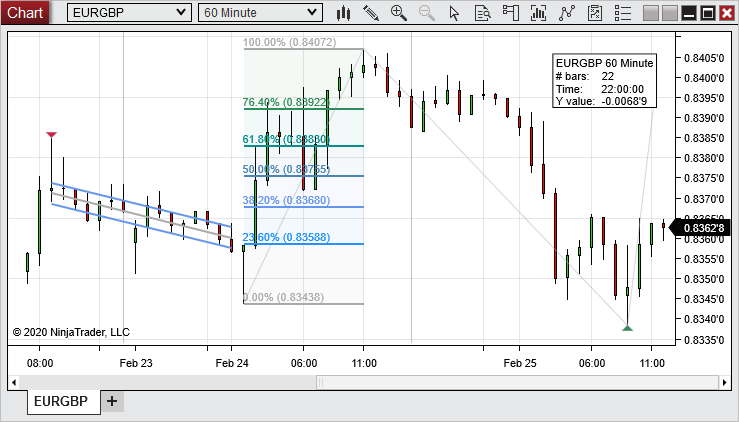
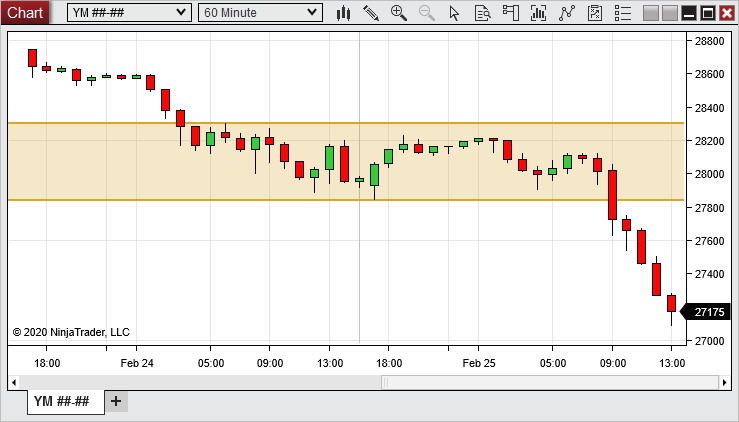
Drawing on a chart You can customize Drawing Tools in a chart. The following image shows several Drawing Tools applied to a chart.
|
Ruler |
Ctrl + F3 |
Risk-Reward |
Ctrl + F4 |
Region Highlight X |
Shift + F1 |
Region Highlight Y |
Shift + F2 |
Line |
F2 |
Ray |
F3 |
Extended Line |
F4 |
Arrow Line |
Ctrl + F2 |
Horizontal Line |
F6 |
Vertical Line |
F7 |
Path |
Ctrl + 4 |
Fibonacci Retracements |
F8 |
Fibonacci Extensions |
F9 |
Fibonacci Time Extensions |
F10 |
Fibonacci Circle |
F11 |
Andrew's Pitchfork |
Ctrl + F8 |
Gann Fan |
Ctrl + F9 |
Regression Channel |
Ctrl + F10 |
Trend Channel |
Ctrl + 2 |
Time Cycles |
Alt + F11 |
Ellipse |
Ctrl + F11 |
Rectangle |
Ctrl + F12 |
Triangle |
Ctrl + F6 |
Polygon |
Alt + F10 |
Order Flow Volume Profile |
Ctrl + 3 |
Arc |
Ctrl + F7 |
Text |
F12 (Tip: press Alt + Enter while you edit the text to create line breaks) |
Chart Marker: Arrow Up Arrow Down Diamond Dot Square Triangle Up Triangle Down |
Alt + F2 Alt + F3 Alt + F5 Alt + F6 Alt + F7 Alt + F8 Alt + F9 |
To apply a Drawing Object to a chart with a Drawing Tool:
1.Select a drawing tool from the Drawing Tools menu. The cursor changes to a pen. To cancel, right-click or press Esc.
2.Select the point on the chart for the first anchor point
3.Select the chart again for any other anchor points you need. After you set all the anchor points, the cursor changes back to the cursor type you selected before.
After you apply the Drawing Object to the chart, you can select it. When it’s selected, you can move the object in the chart, and you can drag its anchor points to new locations.
Snap modeYou can attach Drawing Objects to price data, time data, or both by using a Snap Mode option in the Drawing Tools menu:
|
 Understanding drawing object properties
You can customize each Drawing Tool in the Drawing Objects window.
Accessing Drawing Object propertiesTo open the Drawing Objects window:
1.Select a drawing object (the anchor points appear when it’s selected) 2.Double-click the drawing object, or right-click it and select Properties
You can also open the Drawing Objects window from the Drawing Tools menu in the chart toolbar, or by right-clicking in a chart and selecting Drawing Tools.
Drawing Object propertiesProperties vary between drawing objects. Some properties are common to all objects, and others are specific to the type of Drawing Object.
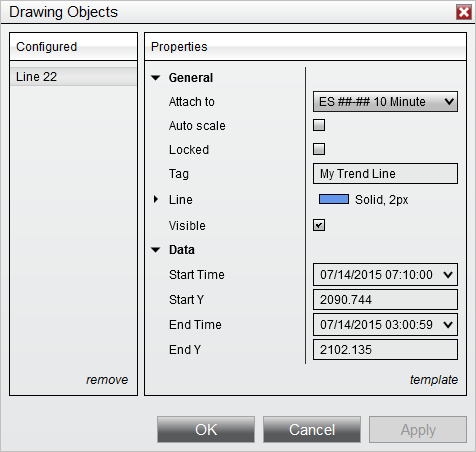
The general properties of the drawing object are in the General section. The following image shows the General section properties for all Drawing Objects, plus additional properties unique to the Line Drawing Object.
All Drawing Tools include these properties, in addition to each tool’s unique properties:
The Data section shows the data locations of the Drawing Object anchor points in the chart. You can change these fields to move the Drawing Object in the chart. Some drawing tools include additional properties in the Data section, and some include variations of these properties:
|
Understanding Drawing Object templates
You can save Drawing Object properties as a template to quickly apply those settings to a new Drawing Object of the same type later.
What NinjaTrader savesNinjaTrader saves these properties in the General section:
•Auto scale •Color •Dash style •Width
Attach to defaults to the Data Series where you draw the object. NinjaTrader automatically updates Tag for each new drawing object. Locked defaults to False, and Visible defaults to True. NinjaTrader doesn’t save properties in the Data section.
Saving Drawing Object templatesTo save Drawing Object settings:
1.Open the Drawing Objects window by double-clicking the drawing object or by right-clicking it and selecting Properties 2.Set the parameters you want 3.Select template in the Drawing Objects window 4.Select save 5.In the Save window, enter a name for a new template or select an existing template to overwrite it 6.Select Save to save the template, or select Save as Default to save your settings as the new default for that drawing object
To load a saved template, select template, then select load. To go back to the original settings after you change them, select template, then select reset.
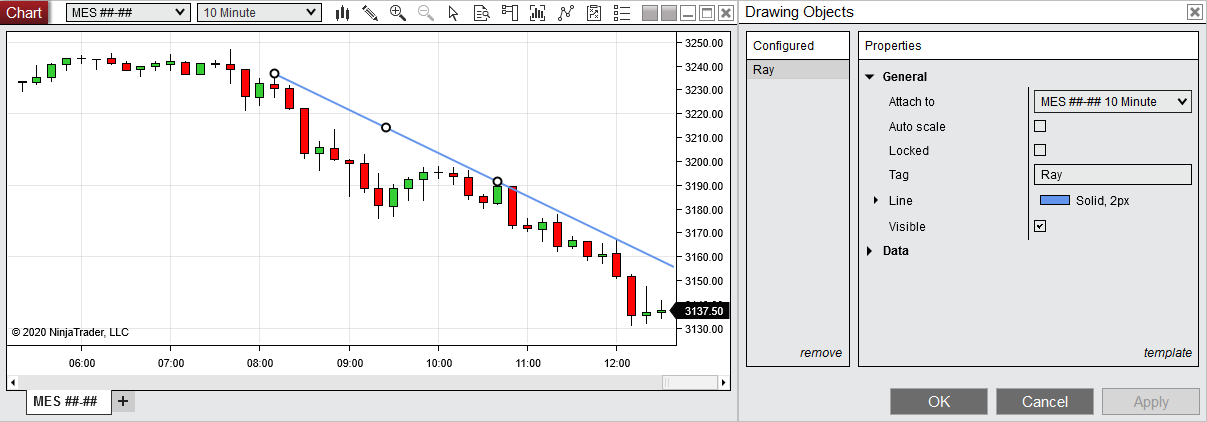
The following image shows saving a template for the Ray drawing tool.
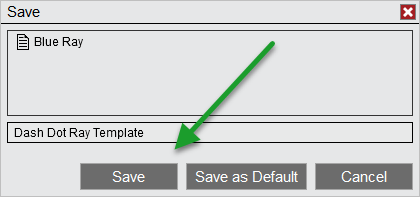
The following image shows entering a name for the new Ray template and saving it for future use.
Loading a Drawing Object templateYou can apply a saved Drawing Object template to any Drawing Object of the same type. For example, you can apply a template for the Fibonacci Extensions tool to a Fibonacci Extensions Drawing Object, but not to a Line Drawing Object.
To load a Drawing Object template:
1.Select template, then select load 2.In the Load window, select the template to load from the list, then select Load
Removing a Drawing Object templateTo remove a Drawing Object template from the list of saved templates:
1.Select template, then select Save or Load 2.Depending on which item you selected, NinjaTrader opens the Save or Load window. Right-click the template you want to remove, then select Remove.
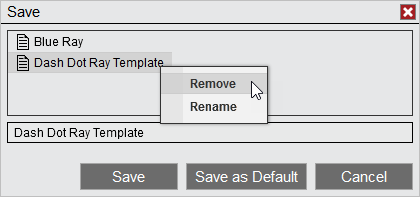
Renaming a Drawing Object templateTo rename a Drawing Object template from the list of saved templates:
1.Select template, then select Save or Load 2.Depending on which item you selected, NinjaTrader opens the Save or Load window. Right-click the existing template in the list, then select Rename.
The following image shows the options to remove or rename the selected Drawing Object template.
|
Removing Drawing Objects To remove a single Drawing Object:
1.Select the Drawing Object (the anchor points appear when it’s selected) 2.Press Delete, or right-click the drawing object and select Remove
To remove multiple Drawing Objects at the same time:
1.Right-click in the chart and select Drawing Tools, or select Drawing Tools in the chart toolbar 2.Select Remove All Drawing Objects. A window opens that asks you to confirm that you want to remove all drawing objects. 3.Select Yes to confirm
|
Understanding local vs. global drawing objects
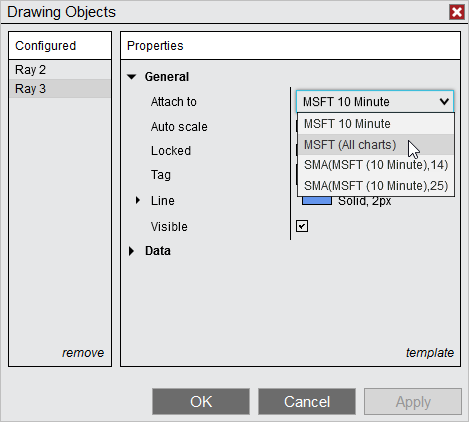
You can apply Drawing Objects to a specific chart (local) or to all charts of the same instrument (global). Turning on a Global Drawing ObjectTo turn on a Global Drawing Object:
1.Apply a Drawing Object to the chart (see How to draw on a chart) 2.Access the drawing object’s properties in the Drawing Objects window (see Understanding drawing object properties) 3.In the Attach to drop-down list, select Instrument name (All charts)
NinjaTrader now applies the Drawing Object to all charts for that instrument and to any new charts you open for it. NinjaTrader stores Global Drawing Objects even when no chart of the instrument is open.
|
Understanding drawing object levels
Drawing Object levelsDrawing Tools that draw lines at multiple, customizable price levels, such as Fibonacci Retracements, include a Levels property. Use it to add, remove, or edit the levels in objects you draw with that Drawing Tool.
These Drawing Tools include a Levels property in the Drawing Objects window:
•Fibonacci Retracements •Fibonacci Extensions •Fibonacci Time Extensions •Fibonacci Circle •Andrew's Pitchfork •Trend Channel
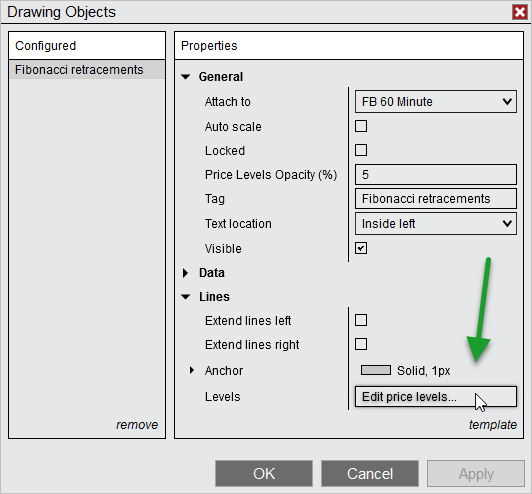
Managing Drawing Object levelsTo add, remove, or edit levels, select a Drawing Object. Then double-click it, or right-click it and select Properties, to open the Drawing Objects window. The Levels field shows the number of levels currently applied. Select this field to open the Levels window, where you can manage the levels applied to that object.
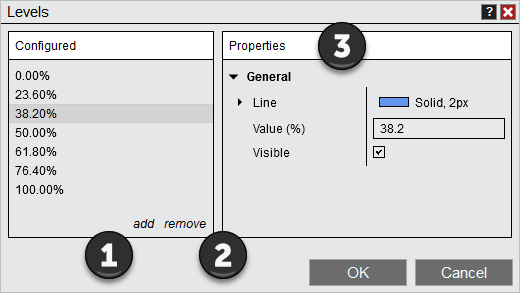
Adding Drawing Object levelsIn the Levels window, select add to add a new price level. NinjaTrader adds the new level to the end of the list in the Configured section and selects it for editing. You can then customize the new level’s line color, dash style, width, and value (in percent) in the Properties section. You can also show or hide the level in this section.
Removing Drawing Object levelsTo remove a level in the Levels window, select the level in the list, then select remove.
Editing Drawing Object levelsTo edit an existing level in the Levels window, select the level, then change its properties in the Properties section. When the properties have the values you want, select OK to save the changes and close the window.
1.Add new price levels with the add option 2.Remove existing price levels with the remove option 3.Edit properties for new or existing levels in the Properties section |