|
<< Click to Display Table of Contents >> Strategy Analyzer Properties |


|
Strategy Analyzer Properties
|
<< Click to Display Table of Contents >> Strategy Analyzer Properties |
|
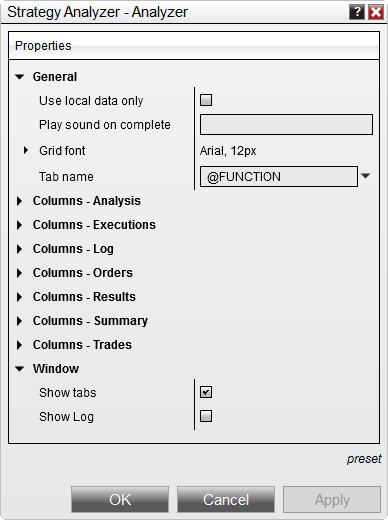
Use the Strategy Analyzer Properties window to customize many of the Strategy Analyzer display settings.
 How to access the Strategy Analyzer Properties
To open the Strategy Analyzer Properties window, right-click the Strategy Analyzer window, then select Properties. |
Available properties and definitions
The Strategy Analyzer Properties window has the following properties:
Property definitions
|
How to preset property defaults
After you set the properties you want, select template in the properties window, then select Save and name the template Default. NinjaTrader uses these settings as the defaults every time you open a new window or tab. Save a template with a different name to keep additional configurations you can load later.
If you change your settings and want to return to the original settings, select template, then select Reset. |