General
|
|
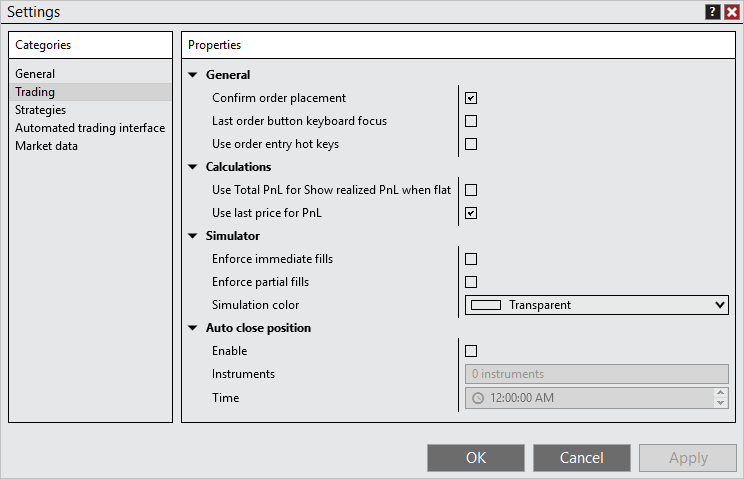
Confirm order placement
|
Sets whether NinjaTrader opens a popup to confirm each order, to prevent accidental order submissions.
|
Confirm close and order cancellation
|
Sets whether NinjaTrader asks you to confirm before you manually close an ATM strategy or position, or cancel an order, to prevent accidental clicks from affecting your trades. This setting applies to the Close button and to canceling an individual order. It doesn't apply to automated cancels, Cancel All, or Flatten All. This setting is off by default. To stop the prompt, select in the confirmation dialog.
|
Last order button keyboard focus
|
When on, an order button stays in focus after you select it, so you can press Enter or Space to select it again.
|
Use order entry hotkeys
|
When selected, you can submit orders with the order-entry , which you define in the window. For more information, see the Hot Keys page.
|
Calculations
|
|
Use Total PnL for Show realized PnL when flat
|
Shows Total PnL instead of Gross PnL in order entry windows when is also on.
|
Use last price for PnL
|
Sets whether the last trade price is used to calculate profit and loss, or the bid for long positions and the ask for short positions.
|
Simulator
|
|
Enforce immediate fills
|
Sets whether orders on simulation accounts fill immediately instead of using the NinjaTrader simulation fill engine.
|
Enforce partial fills
|
Sets whether partial fills are forced on simulation orders. When off, orders fill based on the NinjaTrader simulation fill engine.
|
Simulation color
|
Sets the background color of any order interface that has a simulation account selected. This feature is off if set to .
|
Auto close position
|
|
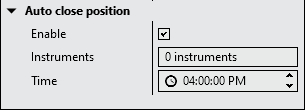
Enable
|
Sets whether NinjaTrader closes out any positions automatically at the specified time. For more information, see Understanding the auto close position function.
|
Instruments
|
Sets the instruments for which NinjaTrader tries to close positions at the specified time. You set this for each order-entry window, and you can also set it here: select the field, then select in the window that appears.
If is selected, it applies to all instruments in NinjaTrader. Turning off in an order entry window then has no effect, because auto close is already on for all instruments.
|
Time
|
Sets the time at which NinjaTrader tries to close positions in the instruments you set in the field. Note: The time uses the time zone set in the General section of the window.
|


 Understanding trading settings