|
<< Click to Display Table of Contents >> Hot List Analyzer Properties |


|
Hot List Analyzer Properties
|
<< Click to Display Table of Contents >> Hot List Analyzer Properties |
|
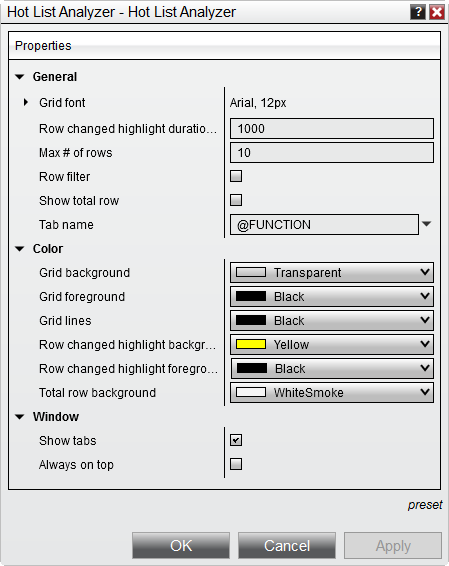
You can customize the Hot List Analyzer in the Hot List Analyzer Properties window.
 Open the Hot List Analyzer Properties window
To open the Hot List Analyzer Properties window, right-click inside the Hot List Analyzer window, then select Properties... |
Available properties and definitions
The Hot List Analyzer Properties window has these properties:
Property definitions
|
After you set the properties, select preset in the properties dialog, then select save. NinjaTrader uses these settings as the defaults every time you open a new window or tab.
To return to the original settings, select preset, then select restore. |