|
<< Click to Display Table of Contents >> Depth Chart Properties |


|
Depth Chart Properties
|
<< Click to Display Table of Contents >> Depth Chart Properties |
|
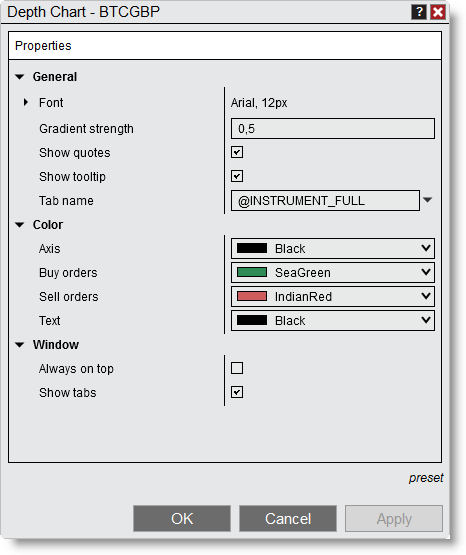
You can customize the Depth Chart window in the Depth Chart Properties window.
 How to access the Depth Chart Properties window
To open the Depth Chart Properties window, right-click the Depth Chart window and select Properties... |
Available properties and definitions
The Depth Chart Properties window has these properties:
Property definitions
|
How to preset property defaults
After you set the properties you want, select preset in the properties window, then select save. NinjaTrader uses these settings as the defaults each time you open a new window or tab.
To return to the original settings after you change them, select preset, then select restore. |
Tab name variablesYou can use predefined variables in the Tab name field of the Depth Chart Properties window. For more information, see the Tab Name Variables section of Using Tabs. |