Layout
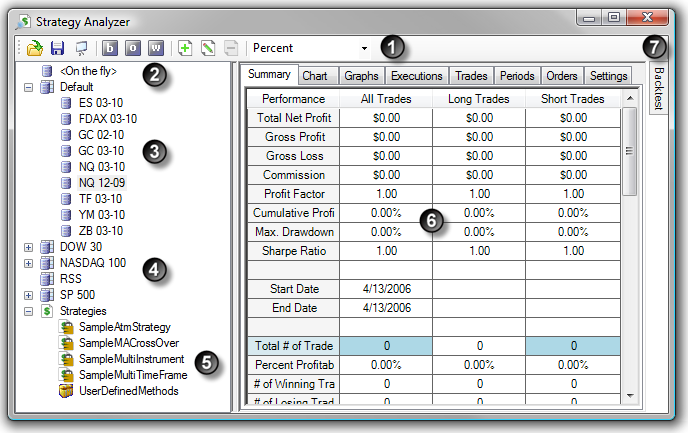
The Strategy Analyzer contains the following items:
1. Toolbar
The Strategy Analyzer toolbar contains the following items (in order from left to right):
| • | Load saved backtest results |
| • | Open the NinjaScript output window (for debugging a strategy) |
2. <On the fly> - Run a historical test on an instrument not in an instrument list
3. Individual instruments
4. Instrument lists
5. Strategies
6. Performance results
7. Strategy menu - Automatically slides into view when mouse cursor is hovered over it. Left mouse click the thumbtack icon to pin it to the Strategy Analyzer window.
|


